These functions provide capabilities to annotate lineplot
(gg_lineplot()) with additional summary statistics table.
The annotations are added using the cowplot package for flexible placement.
annotate_lineplot_df(
  gg_plt,
  data,
  x = NULL,
  y = NULL,
  group = NULL,
  summary_stats = c("n", "mean", "sd"),
  conf_level = 0.95,
  digits = NULL,
  font_size = 10,
  rel_height_plot = 0.75
)
Arguments
- gg_plt
(
ggplot2)
The base line plot generated bygg_lineplot().- data
(
data.frame)
The raw data used to generate the statistics.- x, y, group
(
stringorNULL)
Optional column names as strings. IfNULL(default), the function automatically extracts these from thegg_pltmapping.- summary_stats
(
character)
Vector of statistics to include. One or more of"n","mean","sd","se","ci","median", and"iqr". Defaults toc("n", "mean", "sd")."ci"reports the confidence interval of the mean atconf_level.- conf_level
(
numeric)
Confidence level for the"ci"statistic. Defaults to0.95.- digits
(
numeric,list, orformula)
Optional specification for the number of decimal places for the summary statistics. Can be a single integer (e.g.,2), a vector of integers matching the statistics (e.g.,c(0, 2, 2)), or agtsummarystyle formula. Defaults toNULL(usesgtsummarydefault auto-formatting).- font_size
(
numeric)
Base font size for the summary table text. Defaults to10.- rel_height_plot
(
numeric)
Relative height of the plot vs the table. Defaults to0.75.
Value
A cowplot object.
See also
gg_lineplot() for related functionalities.
Examples
# 1. Create a mock dataset
set.seed(123)
mock_adlb <- data.frame(
ARM = rep(c("Treatment A", "Treatment B"), each = 30),
AVISIT = rep(c(0, 4, 8), 20),
AVAL = rnorm(60, mean = 10, sd = 2)
)
# 2. Generate the base line plot
p_base <- gg_lineplot(
data = mock_adlb,
x = AVISIT,
y = AVAL,
group = ARM
)
#> ℹ We encourage to supply `x` as a factor, since it supports correct decimals
#> formatting in the summary table.
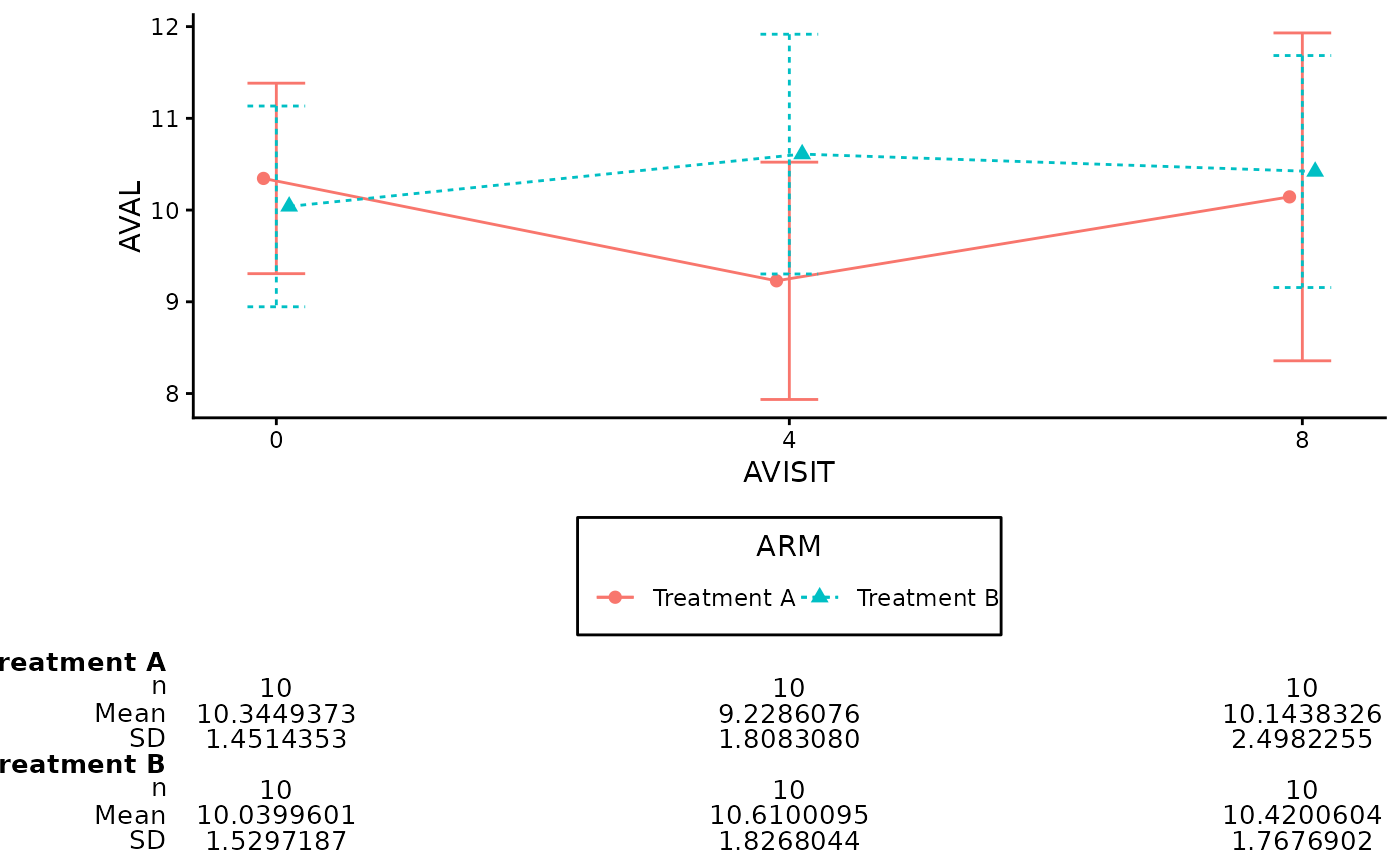
# 3. Annotate with default stats (auto-extracts variables from p_base)
annotate_lineplot_df(gg_plt = p_base, data = mock_adlb)
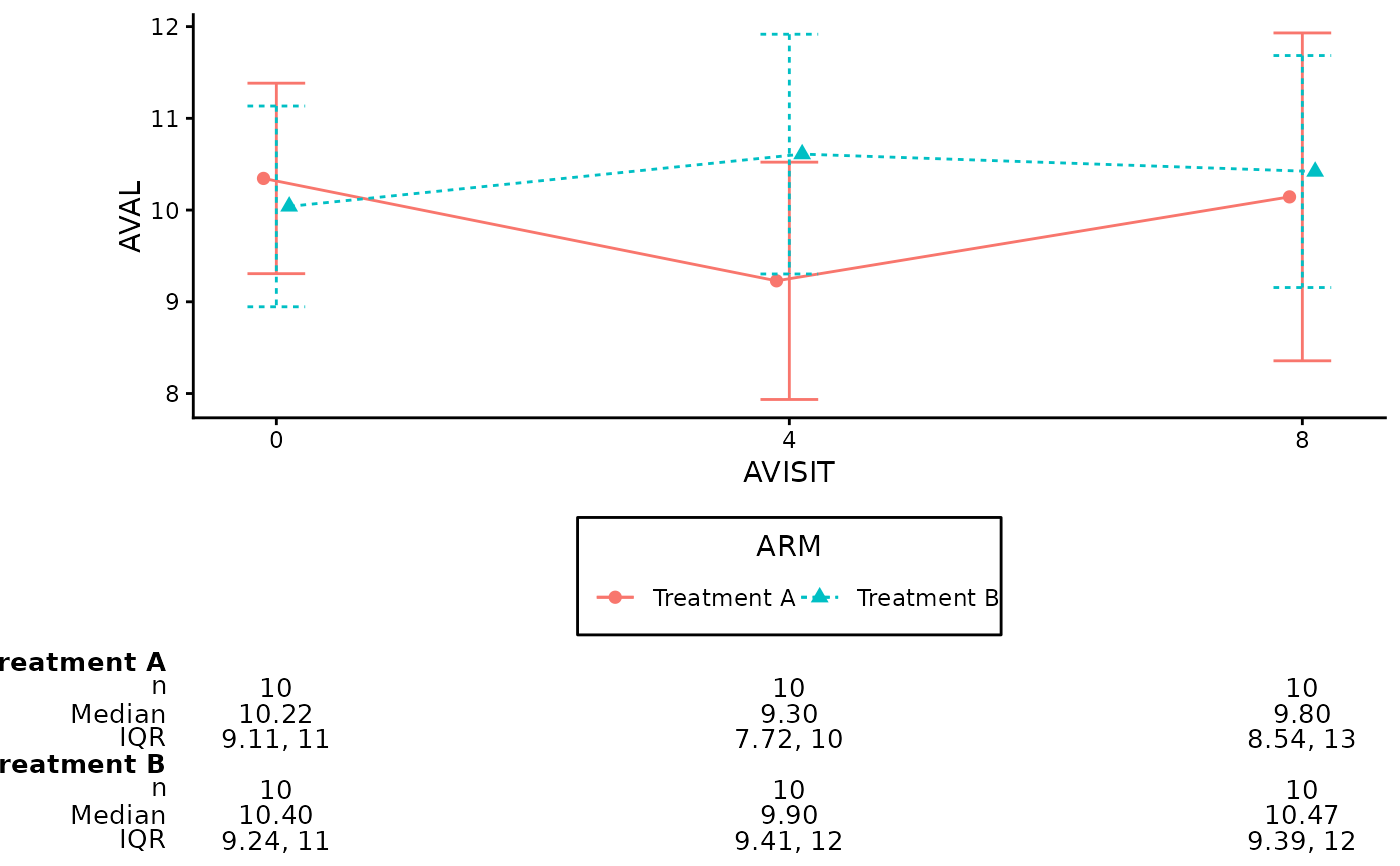
 # 4. Annotate with custom statistics and exactly 2 decimal places
annotate_lineplot_df(
gg_plt = p_base,
data = mock_adlb,
summary_stats = c("n", "median", "iqr"),
digits = c(0, 2, 2)
)
# 4. Annotate with custom statistics and exactly 2 decimal places
annotate_lineplot_df(
gg_plt = p_base,
data = mock_adlb,
summary_stats = c("n", "median", "iqr"),
digits = c(0, 2, 2)
)